Capture, Compare, Share Everything.

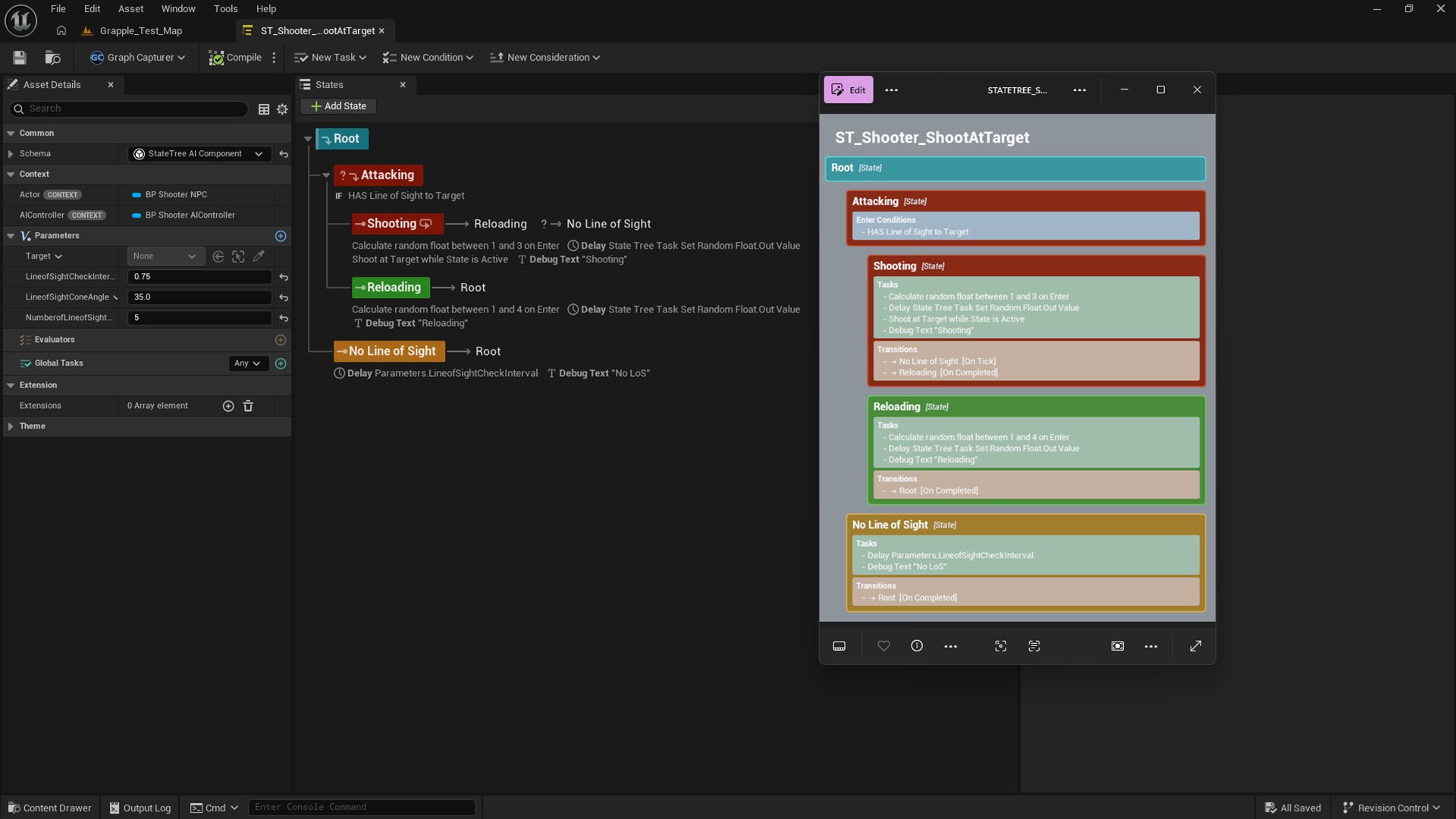
Graph Capturer capturing a Blueprint graph inside Unreal Engine
Scroll to explore

The problem

Screenshots Don't Cut It

Your Blueprint, Material, or Niagara graph is complex. Sharing it means someone takes a screenshot at whatever zoom the window happens to be, and half the nodes are cropped off.

Graph Capturer adds one button to every supported graph editor toolbar. Press it and you get a complete, pixel-perfect export at full fidelity, no matter how large the graph is.

Unlimited Size Any graph, any scale. No memory limits, no cropping
Share Without UE Recipients explore the full graph in any browser, on any device
One Click Ctrl+Alt+C. No config, no extra tools, no setup needed
Pixel Perfect Every wire, node, and pin at full colour-accurate fidelity

Available Now in V2.1

Capture, compare, and share Unreal Engine graphs at full resolution. Everything you need to diagnose issues and share knowledge instantly.

Compare & Diagnose

Load two captures side-by-side with synchronized scrolling to instantly spot changes between graph versions.

Interactive Viewer

Pan and zoom through massive graphs effortlessly. Share standalone HTML files with clients and team members.

Copy Nodes

Copy entire node networks straight from a capture back into Unreal Engine with full fidelity.

Coming Soon in V2.2

Reconstruct Blueprints and Niagara systems inside Unreal, explore multi-graph assets in the viewer, and pack captures into single-file .ueg binaries.

Import to UE (Blueprints)

Load a shared .ueg in the viewer and recreate the entire Blueprint inside Unreal Engine. Parent class, variables, components, every graph, event dispatchers, interfaces, and timelines are all rebuilt automatically.

Capture & Explore Assets

Capture every graph of a multi-graph asset into one folder, then browse through them in the viewer using the new Explore panel. Navigate complex asset structures without losing your place.

Niagara Capture Asset

Capture an entire Niagara System in one go. That includes the System Overview with its full module stacks, the system script graph, and every emitter graph.

Niagara Import

Rebuild a captured Niagara System in a completely different project. A report is generated listing any custom dependency assets that the target project is missing.

Animation Blueprint Capture

Captures the AnimGraph, nested state machines and their per-state graphs, plus a Transition Rules list showing which booleans drive each transition.

Single-file .ueg

Each capture is now contained within a single .ueg file

Self-Contained HTML Export

Exported HTML is a single standalone file with no separate assets folder required. Load, pan, and zoom full-fidelity captures completely offline, anywhere.

Built-in

Compare & Diagnose

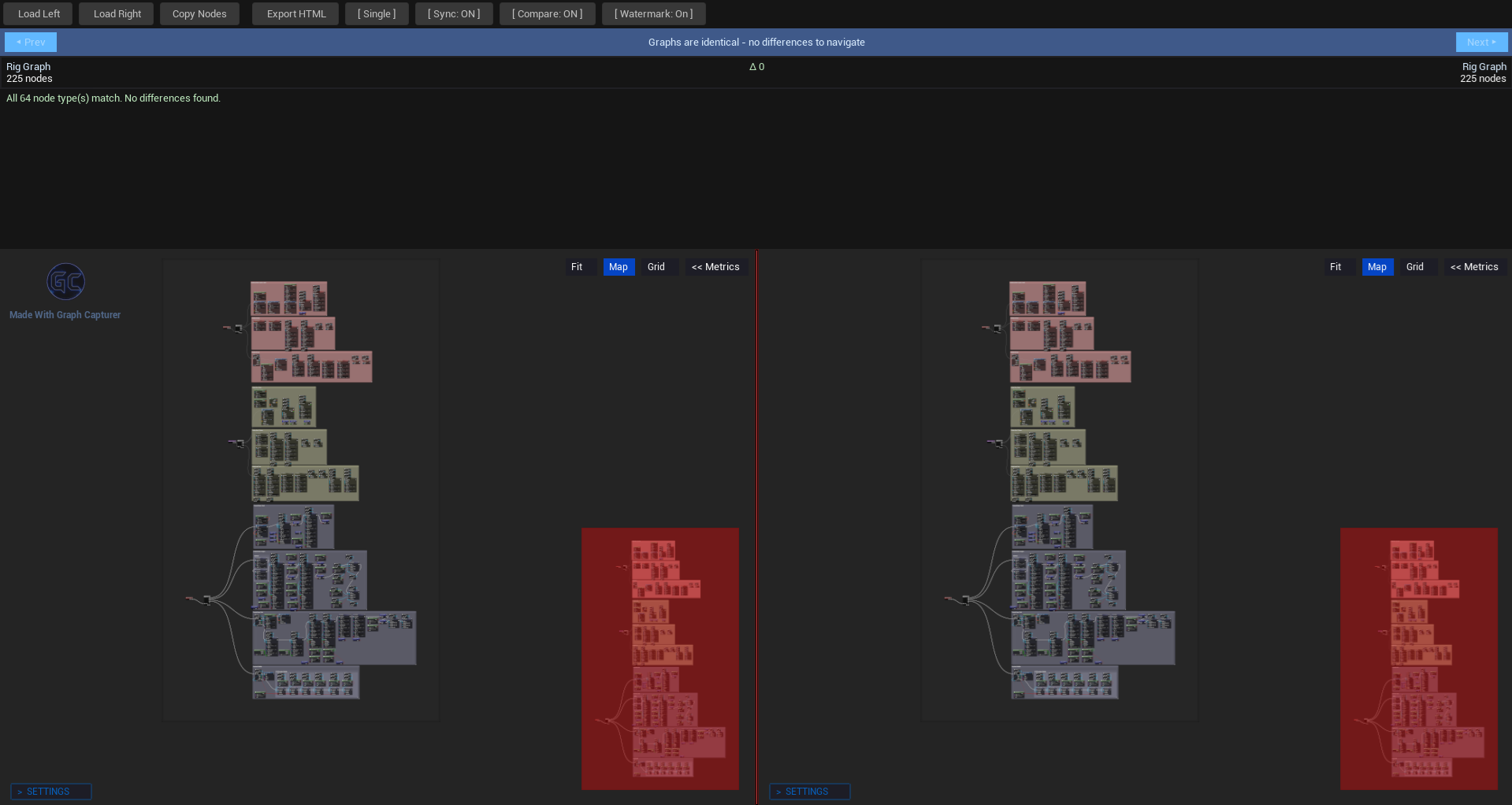
Load two captures side-by-side. The difference navigator finds every change and Sync keeps both panels locked together as you scroll.

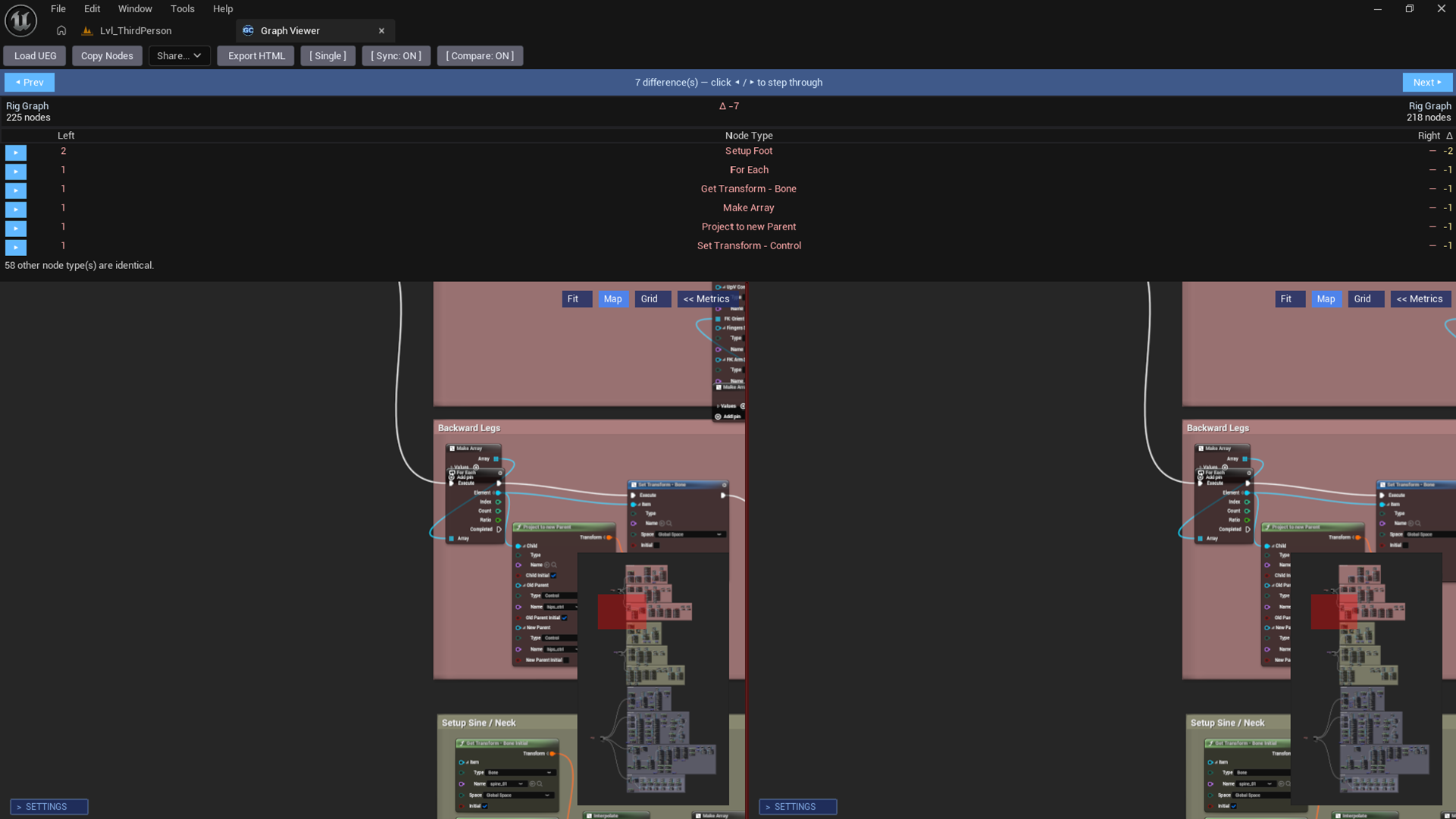
Compare mode showing two graphs side-by-side with 7 differences detected

Side-by-side comparison with 7 differences detected

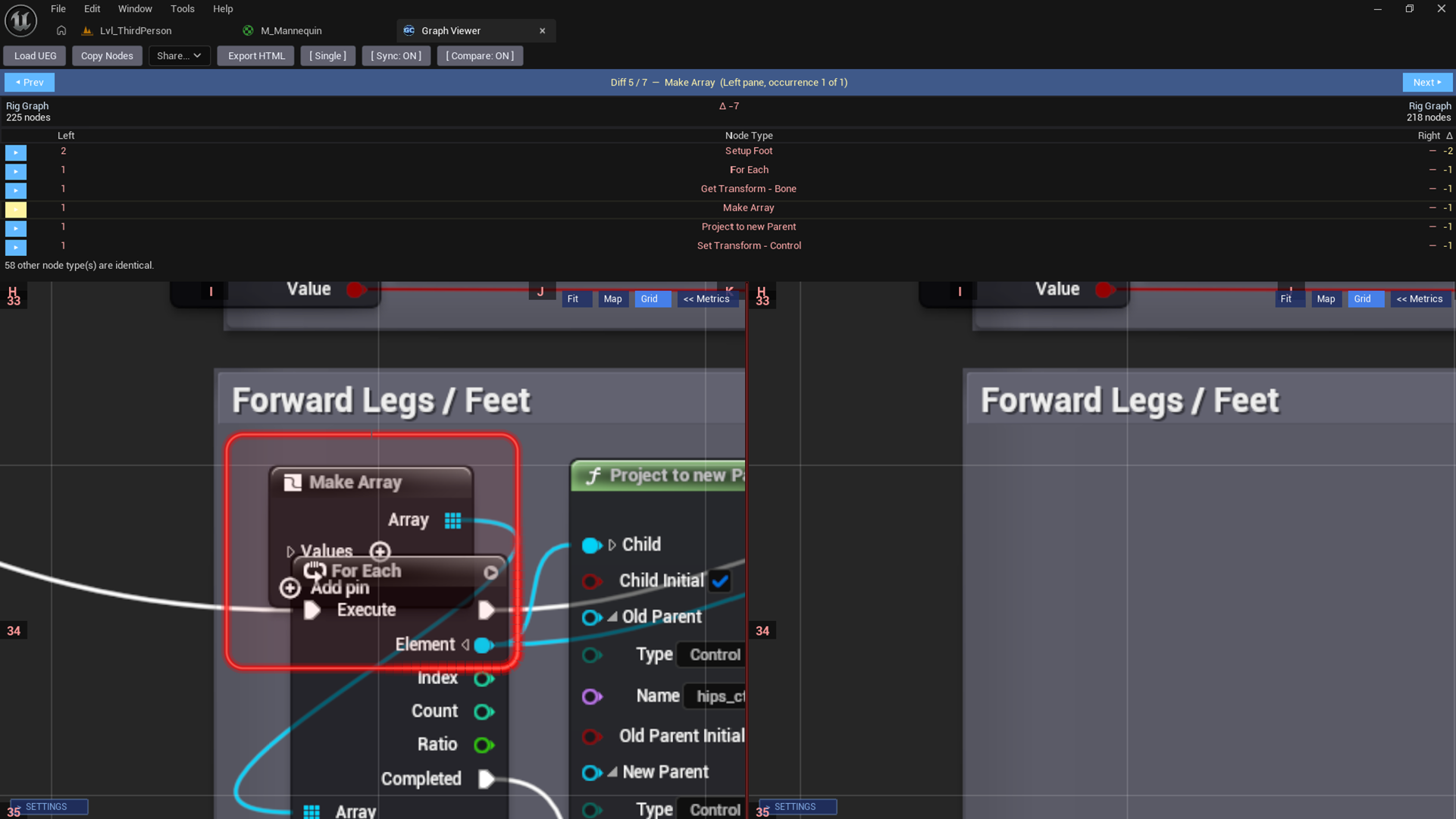
Difference navigator with grid overlay and zoomed-in node highlighting

Step through each difference with grid coordinates for pinpoint navigation

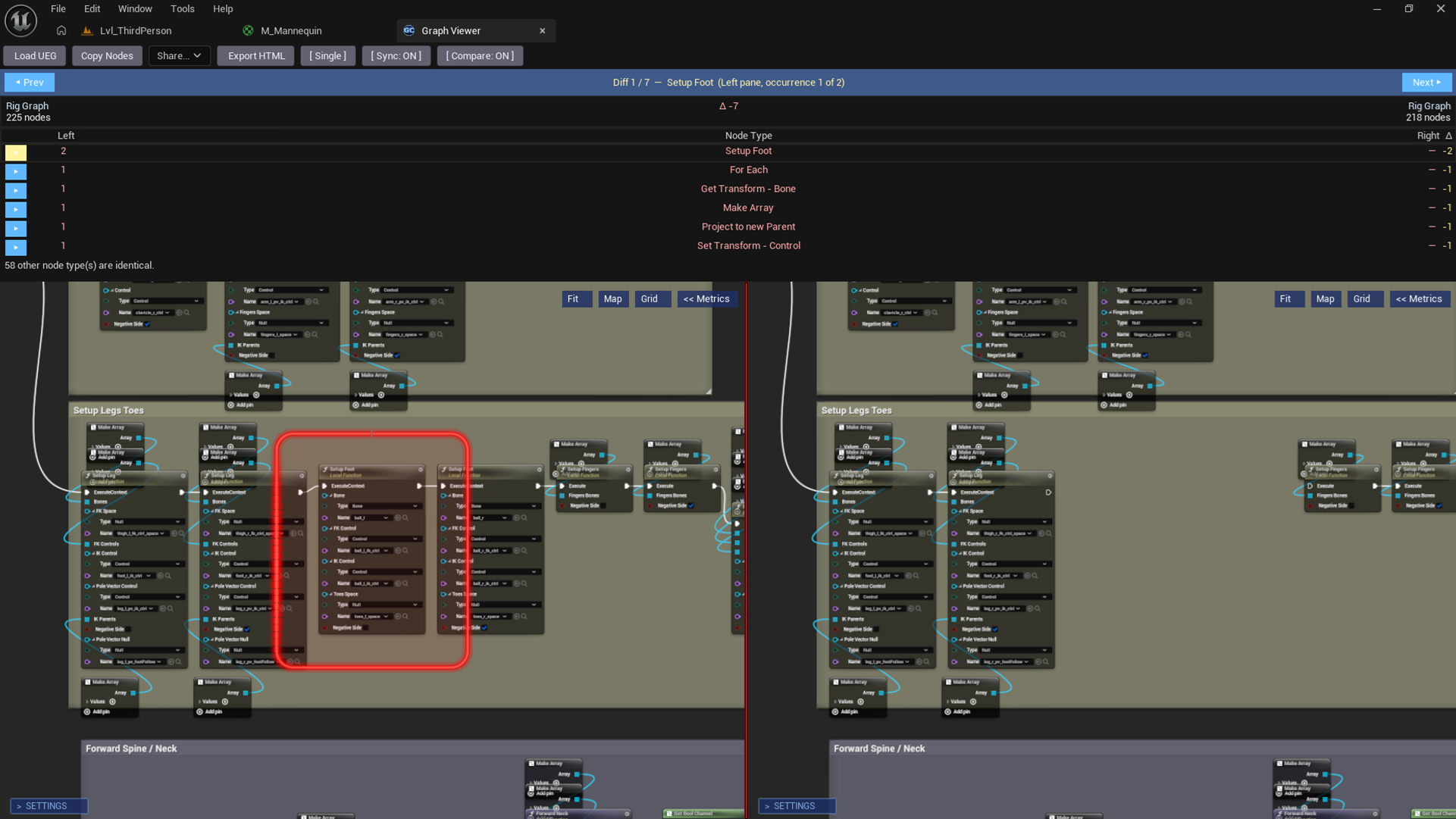
Difference navigator highlighting a changed node cluster

Changed nodes highlighted with red bounds so you can jump directly to each one

Difference Navigator

Counts every change between two captures. Click Prev or Next to jump between them. Each difference is highlighted with a red boundary box.

Sync Pan & Zoom

Enable Sync to mirror your viewport across both panels. Navigate one side and the other follows instantly, which makes tracking changes effortless.

Node Count Delta

See the node count for each capture and the delta at a glance. You'll know immediately if nodes were added or removed between versions.

Built-in

Graph Viewer

Open any capture in the in-editor viewer or export as a standalone HTML file that works everywhere with no Unreal Engine required.

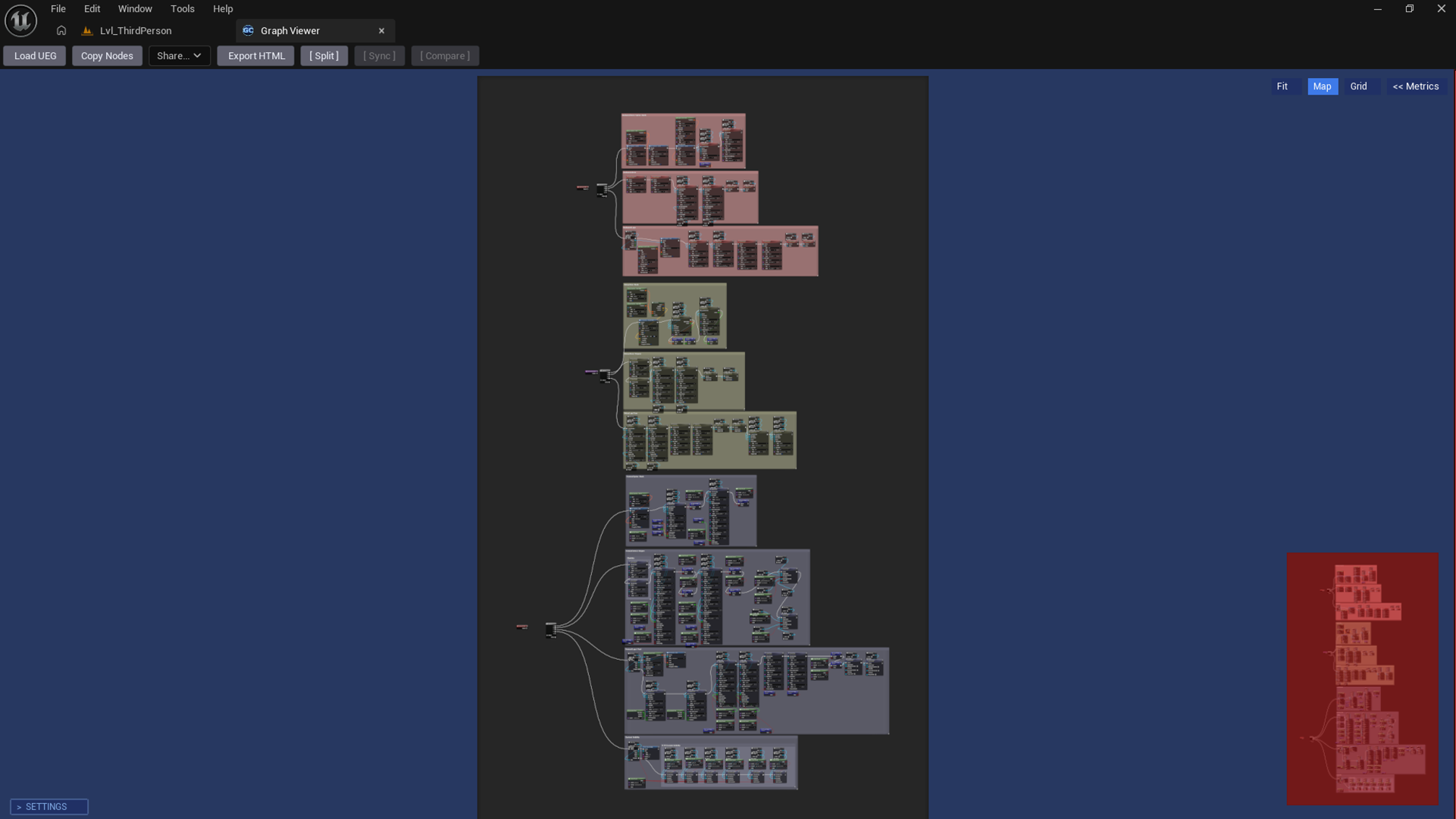
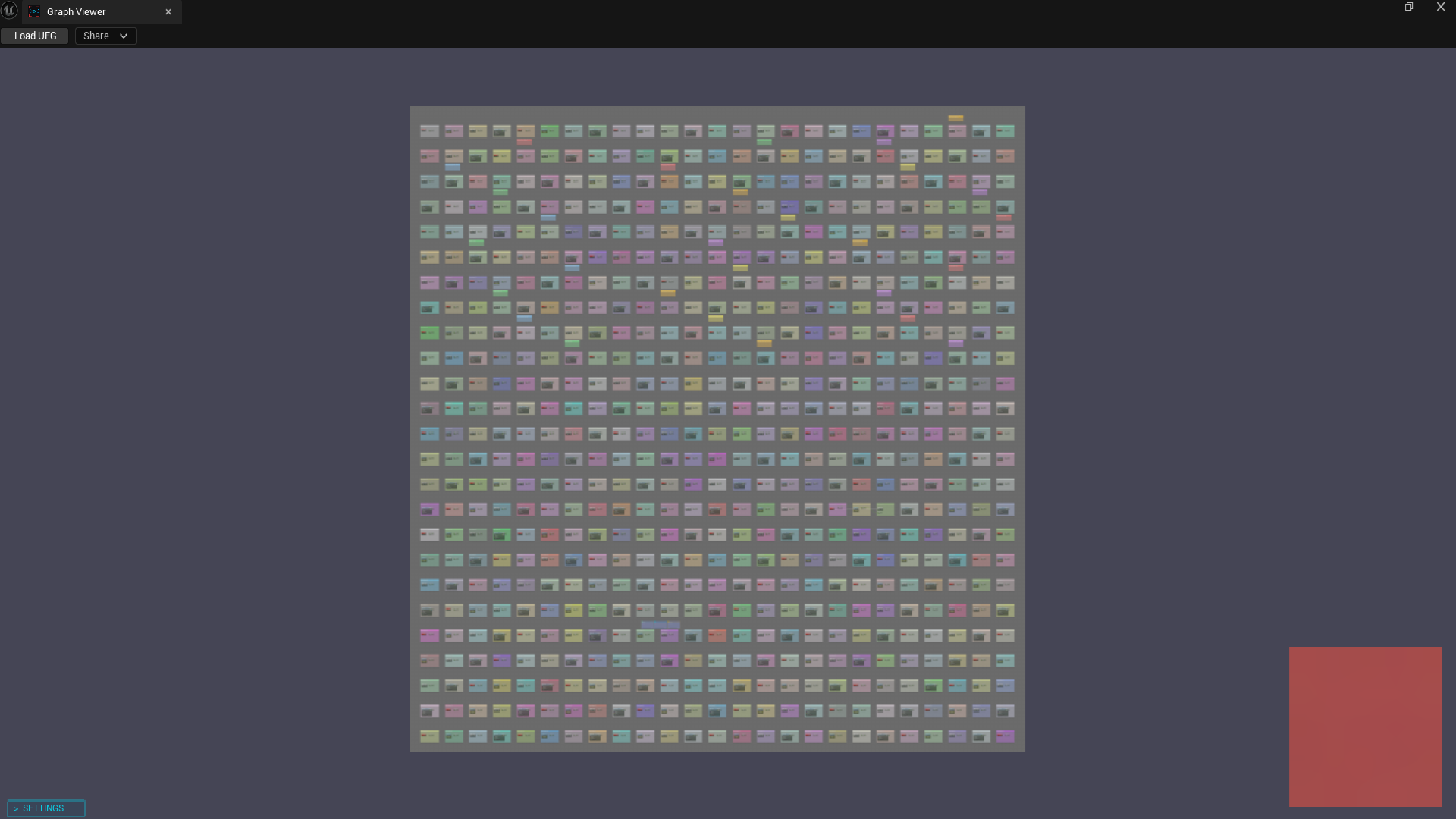
Graph Viewer showing a massive graph with minimap and split mode
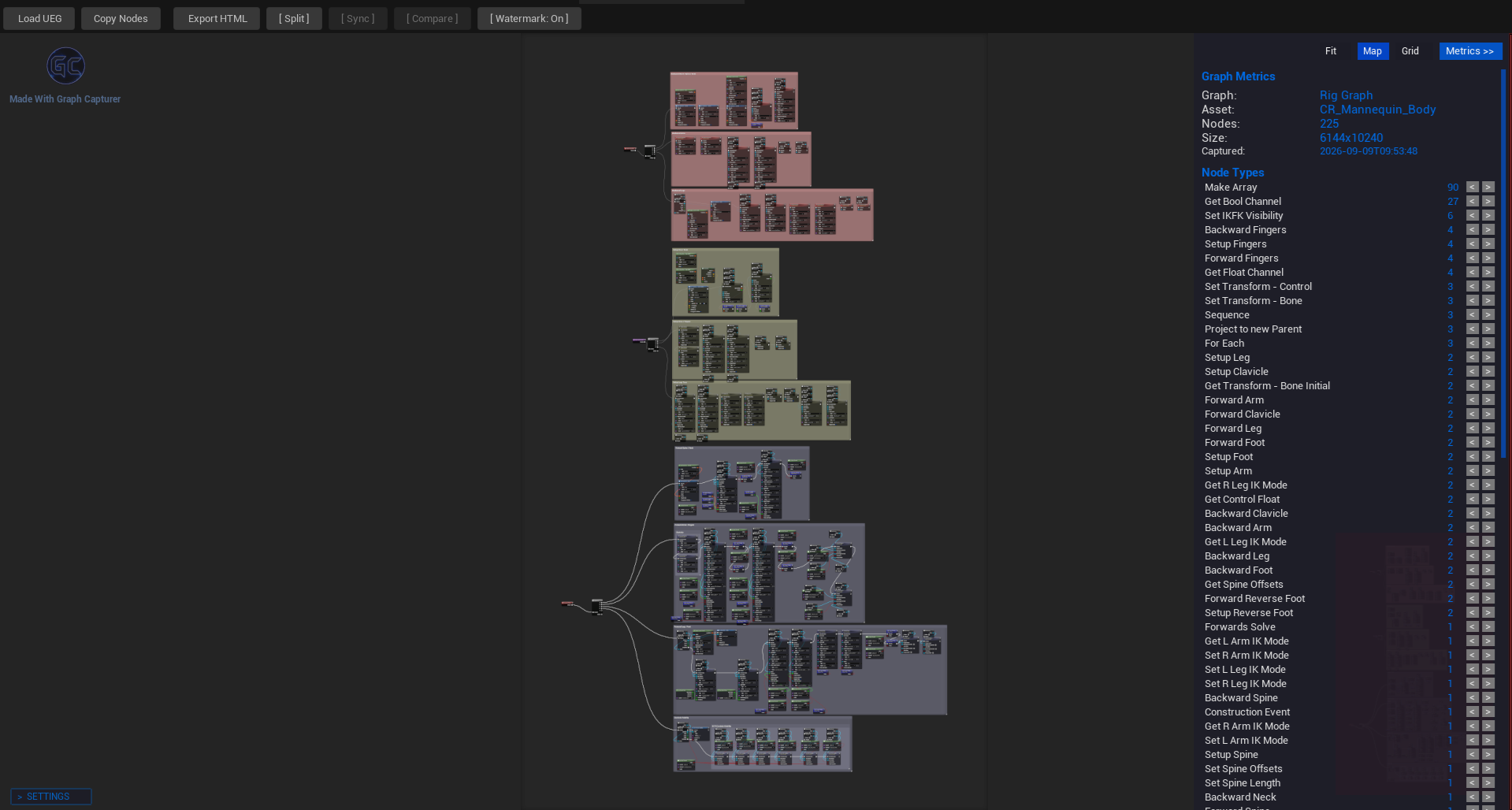
Graph Viewer with Metrics sidebar showing node breakdown and graph stats
Smooth Pan and Zoom

Kinetic momentum, adjustable glide friction, and scroll-wheel zoom centred on your cursor.

Minimap

Draggable viewport indicator showing the full graph. Click anywhere on the minimap to jump directly there.

Metrics Sidebar

Node count, top node types, graph dimensions, capture timestamp, and comment TOC all in one panel.

Coordinate Grid

Toggleable A1 to Z52 grid overlay. Say "the bug is in C4" instead of "somewhere bottom-left".

Warnings

Surfaces common issues like excessive Cast, Tick, or Delay nodes right in the sidebar.

What you get

Everything in Graph Capturer

Adaptive Capture Engine

Small graphs export as a sharp, full-resolution PNG. Massive graphs become a zoomable interactive capture you can pan and zoom at any level of detail with every wire, node, and pin intact. Quality is always lossless by default.

  • PNG output for small graphs
  • Zoomable UEG format for large graphs
  • PNG output, lossless by default
  • Colour-accurate output at every zoom level
Unlimited graph size capture

Copy Nodes & Copy Function

Copy all nodes from any capture to your clipboard and paste them into a compatible Unreal graph. Copy Function goes further and copies the entire function signature, local variables, and nodes in one shot.

  • Works for Blueprints, Materials, Control Rigs, and more
  • Connections and pin values preserved
  • Copy Function: paste onto My Blueprint panel
  • Works from the in-editor viewer and exported HTML

12+ Graph Types

One toolbar button works across every major Unreal graph editor. If the Capture Graph button appears, that graph type is fully supported.

Blueprints Materials Animation BPs State Machines Niagara Behavior Trees EQS State Trees Sound Cue MetaSound Control Rigs PCG Physics Assets

Built-in Sharing Suite

Share your capture to anywhere from inside the editor without ever leaving Unreal Engine.

  • Upload to any file host and share with clients, developers, or team members
  • Post to X, Reddit, LinkedIn, Bluesky, Facebook
  • Email via Gmail, Outlook, Yahoo, ProtonMail
  • Copy pre-formatted Discord / Slack / Teams captions

Standalone HTML Export

Export a single self-contained .html file. One file with no folder, no zip, that works offline anywhere and can be sent to anyone. Full interactive viewer with pan, zoom, minimap, metrics, and full-screen support included.

Sticky Notes

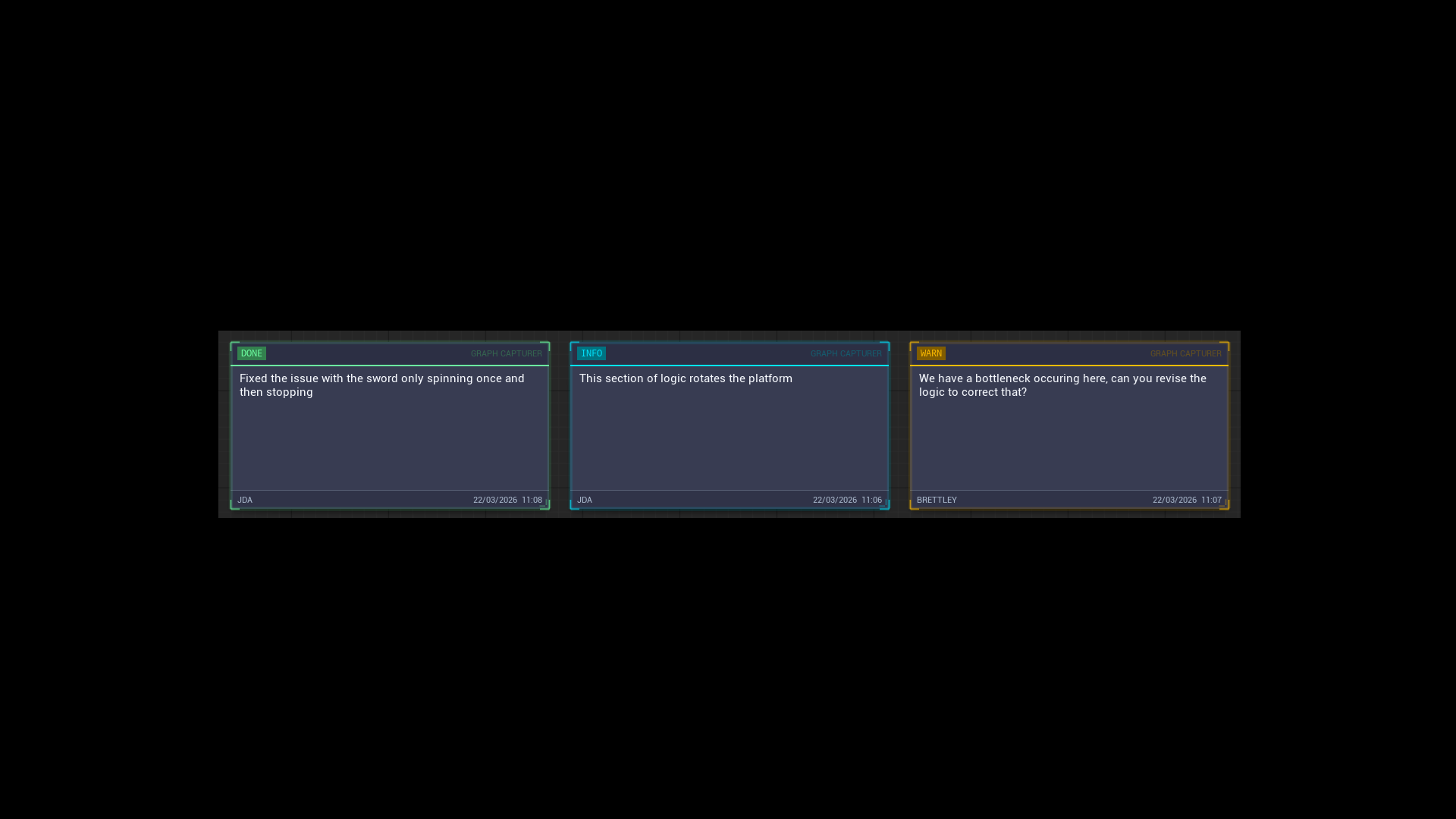
Add persistent sticky notes to your captures for code reviews, team handoffs, and future reference. Colour-coded with 6 types, per-note opacity and font controls, and a dockable Notes panel.

Info
TODO
Warning
Bug
Done
Review

Smart Output Organisation

Captures are automatically sorted into domain-based folders with per-graph subfolders. A capture report is generated for every capture with node counts, dimensions, and timestamps.

Quality & Performance Controls

Fine-grained control over PNG output quality, capture performance settings, colour correction, and a progress notifications toggle. Everything is configurable from Project Settings.

Simple by design

How It Works

01

Open a Supported Graph

Blueprint, Material, Niagara, Animation, PCG, Control Rig, State Tree. The Capture Graph button appears automatically in every supported editor.

02

Click Capture

Choose Capture, Capture + Share, or View in Graph Viewer. Small graphs save as PNG. Large ones become zoomable UEG files. Or export a standalone HTML.

03

Explore, Compare, or Share

Open in the built-in viewer with metrics and coordinate grid. Load two captures to compare them. Upload the HTML file anywhere, email it, or post it to social.

See it in action

Screenshots

Compare mode showing two captures side-by-side

Compare mode with diff navigator

Graph Viewer with split mode and minimap

Graph Viewer with split mode and minimap

Massive graph with Metrics sidebar open

Metrics sidebar with node breakdown

Sticky notes on a graph

Colour-coded sticky notes

Difference view with grid coordinates

Diff navigator with grid coordinates

Comparison

Version 2.1 vs Version 2.2

See the major new features and architectural upgrades landing in Version 2.2.

Feature Version 2.1 Version 2.2 (Upcoming)
Asset Import & Rebuild
Blueprint Import (UE) View-only (No recreation) Full Rebuild (Parent class, variables, event dispatchers, timelines, and all graphs)
Niagara Import & Rebuild No Support Full Rebuild (Rebuild system in another project with dependency report)
Multi-Graph Asset Capture
Explore Multi-Graph Assets Separate file captures Unified Explorer (Capture all graphs, browse using Explore panel inside viewer)
Niagara System Capture Individual emitter graphs System Overview (Overview + module stacks + script graph + emitters in one go)
Animation Blueprint Capture Basic AnimGraph only State Trees & Rules (AnimGraph, state machines with nested state graphs, and Transition Rules list)
Packaging & Portability
Storage Format Folder of loose files Single .ueg File (One self-contained file, easy sharing)
HTML Export HTML file + separate assets folder Standalone HTML (Single self-contained file, no external assets folder)

Requirements

Compatibility

Unreal Engine

5.3 · 5.4 · 5.5 · 5.6 · 5.7

Platforms

Windows 64-bit & Linux

Dependencies

None. Zero external software required

Plugin Type

Editor-only. Ships nothing to your game builds

Ready to stop losing graphs to bad screenshots?

Get Graph Capturer on Fab and with V2.2 on the way it has never been more powerful.

Created by James David Arnold · jda3dcontent@gmail.com